Interactive Annotation
DIVE can segment an object from a few clicks, or from a description in words, in place of drawing its outline by hand. This page covers the segmentation models VIAME provides for it; using the tools in the interface is covered by the DIVE interactive annotation page, and measuring between a stereo pair of cameras by stereo measurement.
Interactive Segmentation
DIVE provides interactive segmentation, allowing users to click on objects (foreground and background points) to generate segmentation masks in real time. The segmentation service is started automatically by DIVE based on the configured segmenter in the DIVE settings. Several segmentation backends are available:
Watershed (default)
Uses OpenCV’s watershed algorithm for point-based segmentation. Users provide foreground points (marking the object) and background points (marking areas to exclude). This is the lightest-weight option and does not require a GPU or any add-ons. Works best for objects with clear color boundaries.
SAM2 (SAM2 add-on)
Uses Meta’s SAM2 (Segment Anything Model 2) for point-based segmentation. Provides significantly better segmentation quality than watershed, especially for complex object boundaries. Requires less system resources than SAM3 but lacks the ability to perform text queries. Requires a GPU and the SAM2 add-on.
SAM3 (SAM3 add-on)
Uses SAM3 for both point-based and text-based segmentation. In addition to click-based segmentation, users can type a text description of the object to segment (e.g., “fish”, “scallop”). Requires a GPU and the SAM3 add-on. This is the most capable interactive segmentation option.
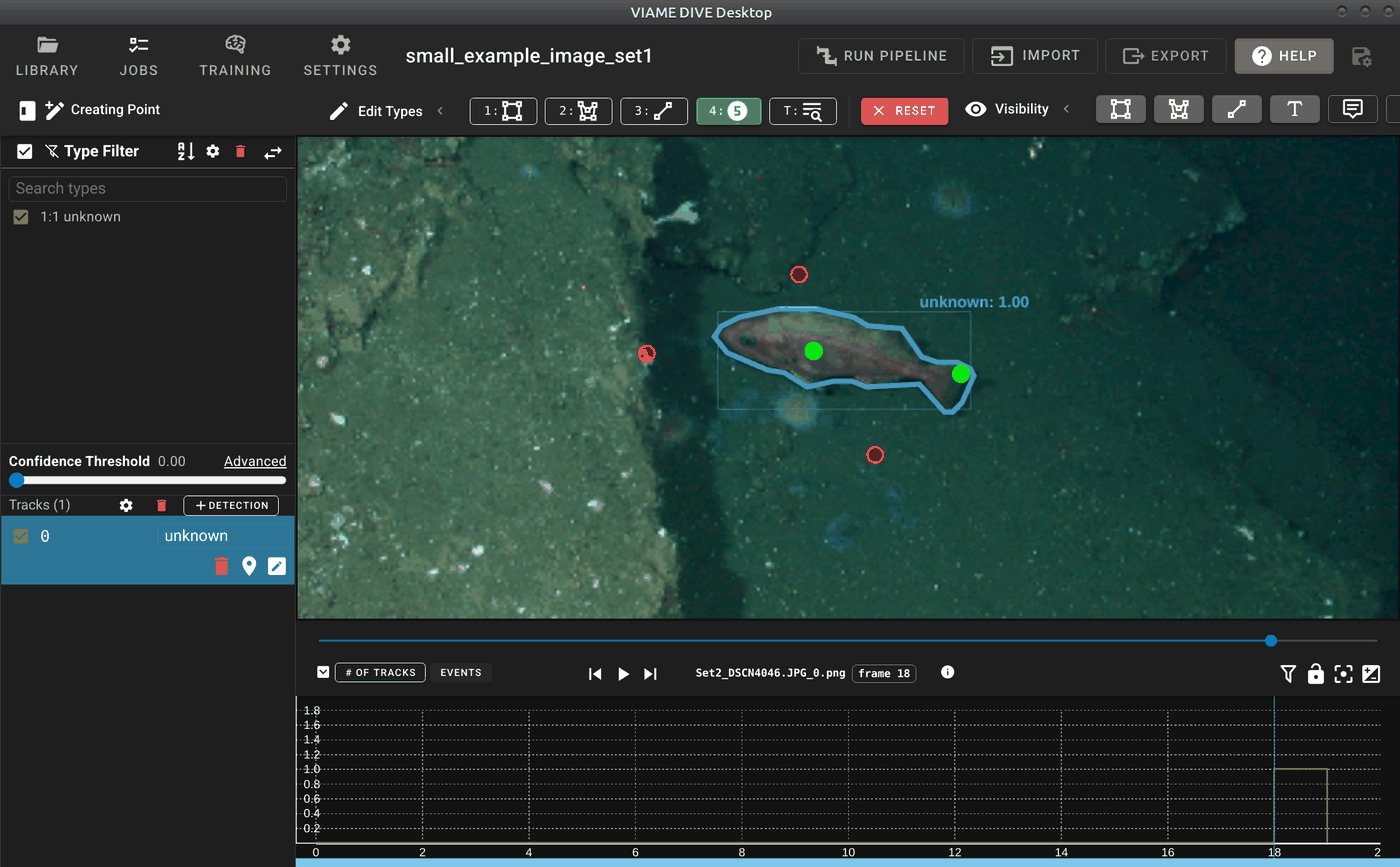
Point-based interactive segmentation in DIVE. The user clicks foreground (green) and background (red) points to generate a segmentation mask around the object.
Text queries can also be run as batch pipelines to detect, segment, and track objects across entire image sets or videos. See text query and VLM for details.
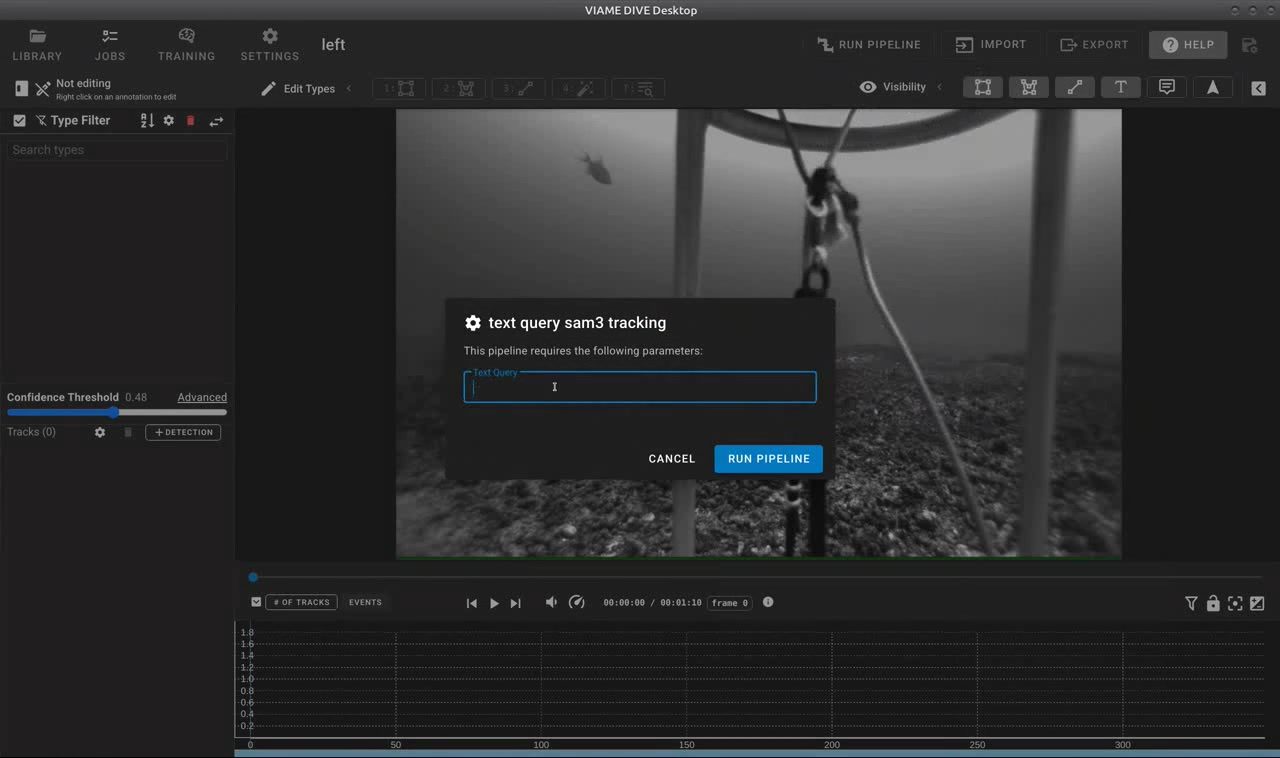
SAM3 text query dialog in DIVE. Users enter a text description of the object to detect and track across the video.
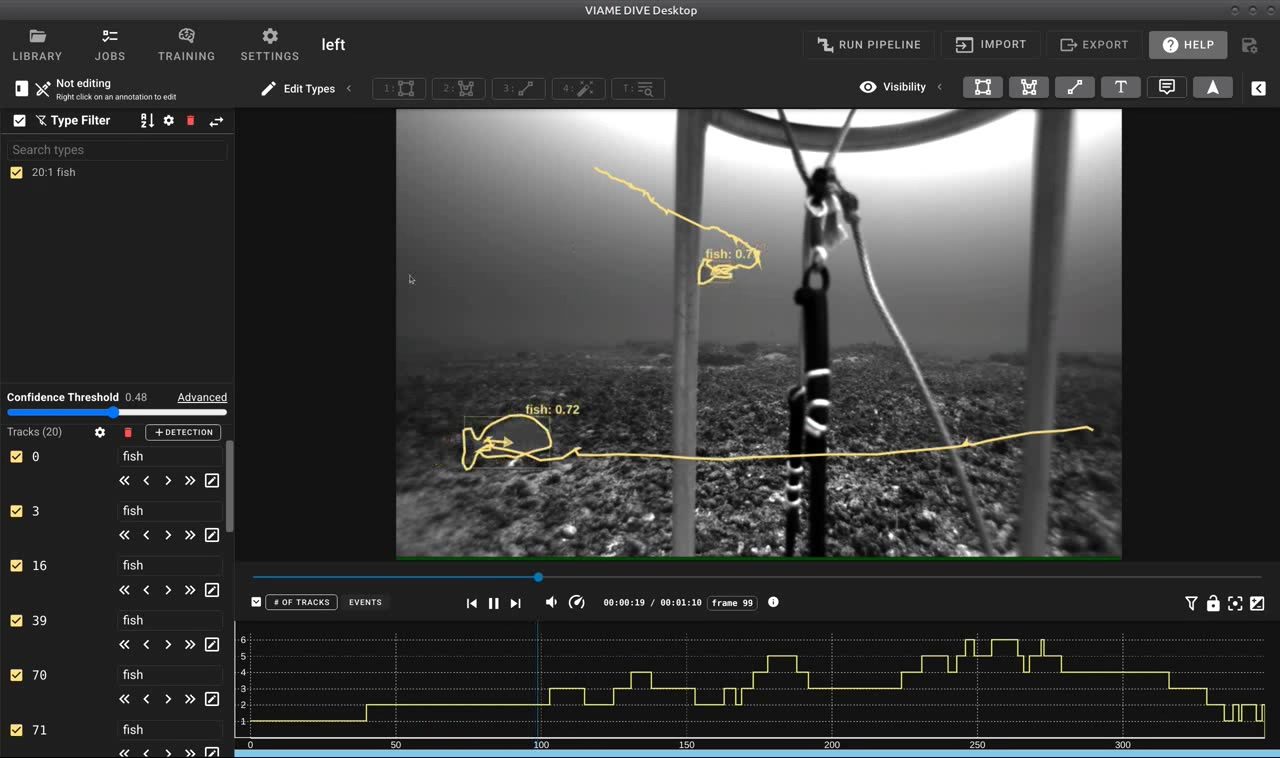
Results of a SAM3 text query showing automatically detected and tracked fish with segmentation outlines.
To manually start the interactive segmentation service outside of DIVE (e.g., for scripting or integration with other tools):
source /path/to/VIAME/install/setup_viame.sh
python -m viame.core.interactive_segmentation \
  --config configs/pipelines/interactive_segmenter_watershed.conf