Text Query and VLM
Overview
This document corresponds to the text query and VLM example folder within a VIAME desktop installation.
A text query finds objects from a description in words, such as “fish” or “sea turtle”, instead of from a trained detector or an example image. Nothing has to be annotated or indexed first, which makes it a quick way to get initial detections on new imagery. Three methods are available:
| Method | Produces | Needs |
|---|---|---|
| SAM3 | Boxes, masks and tracks | SAM3 add-on, CUDA GPU |
| Vision-language model (VLM) | Boxes, optionally linked into tracks | A model served locally by Ollama |
| Zero-shot detector | Boxes | Downloads its model on first use |
Results from any of them can be corrected in DIVE and used to train a standard detector, which will then run faster than the text query that produced them. See detector training.
SAM3 Text Queries
Text-prompted detection provides an alternative approach to rapid model generation that uses open-vocabulary text prompts instead of image or video exemplars. Rather than ingesting data into a search database and refining a search with feedback, you can simply describe the objects you are looking for using natural language (e.g., “fish”, “sea turtle”, “bird”). Text queries are currently performed using Meta’s SAM3 model, which can be installed from the VIAME Add-Ons wiki. The model combines Grounding DINO for text-prompted detection with a SAM-based segmentation and tracking architecture, producing polygon masks and multi-frame tracks.
Running Pipelines from the Command Line
Text query pipelines can be run from the command line using the VIAME kwiver runner. First source your VIAME installation setup script, then run a pipeline with your desired text query. For example, to run the tracker on a list of images:
source /path/to/VIAME/install/setup_viame.sh
kwiver runner configs/add-ons/sam3/tracker_sam3_animals.pipe \
  -s input:video_filename=input_list.txt \
  -s tracker:refiner:sam3:text_query="fish"
For video files, replace the input file list with the video path as appropriate for the pipeline being used. The text_query parameter accepts a comma-separated list of object categories to detect (e.g., “fish, crab, starfish”).
Running Pipelines from the DIVE Interface
These pipelines are also accessible from the DIVE web annotation interface. They appear in the pipeline runner menu under the SAM3 category once the add-on is installed. Text query pipelines will prompt for a text query string when launched. Additionally, the interactive segmentation service can be started with the SAM3 configuration to enable point-click and text-based segmentation directly within the annotation view.
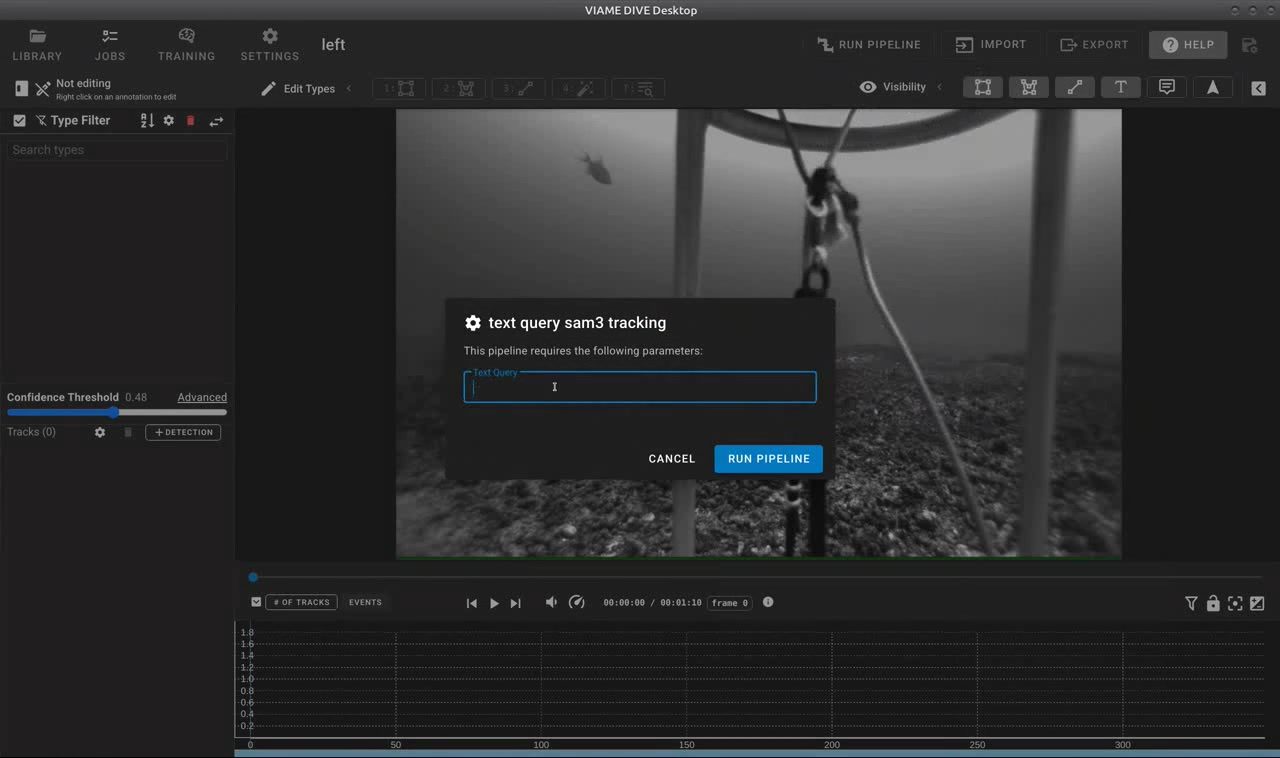
The SAM3 text query dialog in DIVE prompts for a text description of objects to detect and track.
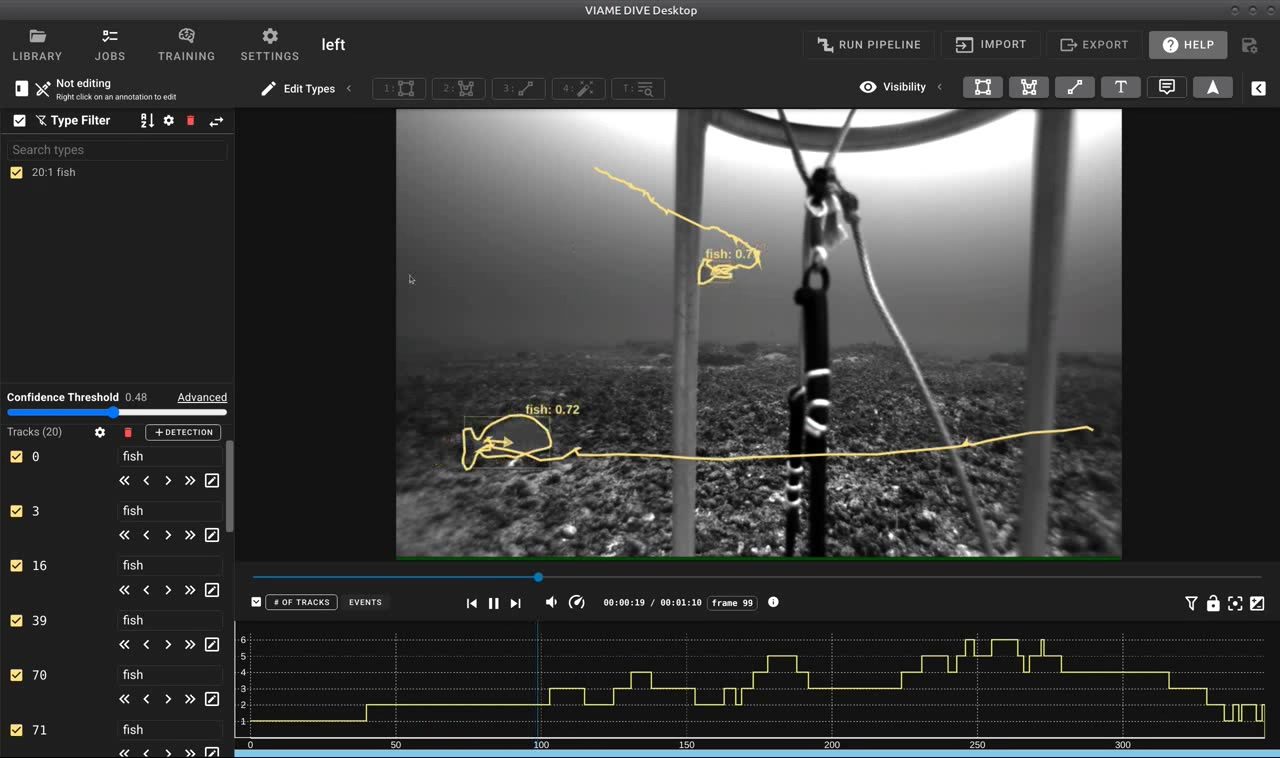
Results of a SAM3 text query showing automatically detected and tracked fish with segmentation outlines and tracks.
Available Pipelines
All of the pipelines below require the SAM3 add-on to be installed. They also require a CUDA-capable GPU.
Detection and Tracking Pipelines
- detector_sam3_animals.pipe – Per-frame open-vocabulary detector. Uses Grounding DINO with SAM3 segmentation to detect objects matching a text query in each frame independently. Produces per-frame detections with polygon masks. Suitable for image sets or videos where frame-to-frame tracking is not needed.
- tracker_sam3_animals.pipe – Open-vocabulary tracker with memory-attention. Detects objects matching a text query on the first frame (and periodically re-detects thereafter), then propagates detections across subsequent frames using memory-attention tracking. Produces multi-frame tracks with polygon masks.
Text Query Utility Pipelines
These pipelines are designed to be used as utility steps applied to existing detections or launched from within the DIVE annotation interface.
- utility_text_query_sam3_tracking.pipe – Refines or creates tracks using a text query with cross-frame tracking. Applies the memory-attention tracker to propagate detections across frames.
- utility_text_query_sam3_no_tracking.pipe – Per-frame text query detection using Grounding DINO and SAM3 segmentation. Each frame is processed independently with no cross-frame tracking. Suitable for image sets or cases where frame-to-frame correspondence is not needed.
- utility_text_query_sam3_gridded.pipe – Text query detection with windowed/gridded processing for large images. Splits large images into overlapping chips to improve detection of small objects that might be missed at full resolution. Each frame is processed independently with no cross-frame tracking.
Segmentation Utility Pipelines
- utility_add_segmentations_sam3.pipe – Adds automatically generated segmentation masks to existing detections. Replaces any existing masks with new masks. Uses windowed processing for large images.
- utility_add_segmentations_sam3_no_replace.pipe – Adds segmentation masks only to detections that do not already have masks. Preserves any existing masks.
- utility_track_selections_sam3.pipe – Tracks user-selected detections forward in time using the video tracker and generates segmentation masks for each tracked frame. Useful for propagating a single annotation forward through a video sequence.
Interactive Segmentation
- interactive_segmenter_sam3.conf – Configuration for the interactive segmentation service in DIVE. Enables both point-click and text-based segmentation within the annotation view.
Training
- train_detector_sam3.conf – Configuration for fine-tuning on custom data using detection-level annotations with polygon masks. See scene segmentation.
Vision-Language Model Queries
A vision-language model (VLM) is a general model that takes an image and a written request and answers in text. VIAME asks it to locate every instance of the query in each frame and converts the answer into boxes. A VLM understands longer and more specific descriptions than the other two methods, such as “fish partly hidden behind coral”, but it is slower and returns boxes only.
Setting up Ollama
The model is served by Ollama, which runs on the same machine or another one on the network.
- Install Ollama and start it.
- Download a model that accepts images:
ollama pull qwen3-vl:8b
VIAME looks for the server at localhost:11434. To use a server elsewhere, set the OLLAMA_HOST environment variable, as for the Ollama command itself.
Running
Two pipelines are provided. Both appear in the DIVE pipeline menu and prompt for the query, and both can be run from the command line:
source /path/to/VIAME/install/setup_viame.sh
viame configs/pipelines/utility_text_query_ollama_vlm_tracking.pipe \
  -s input:video_filename=input_list.txt \
  -s detector:detector:ollama_vlm:text_query="fish"
| Pipeline | Behaviour |
|---|---|
utility_text_query_ollama_vlm_tracking.pipe |
Detects on every frame and links the detections into tracks with the default tracker |
utility_text_query_ollama_vlm_no_tracking.pipe |
Detects on every frame independently, adding to or replacing the annotations in detections.csv |
Settings
| Setting | Default | Purpose |
|---|---|---|
model |
qwen3-vl:8b |
Name of the Ollama model to query |
text_query |
object |
Description of what to find |
max_new_objects |
50 | Most detections kept per frame |
think |
false | Lets the model reason before answering, which is slower |
replace_existing |
true | In the pipeline without tracking, replaces existing annotations rather than adding to them |
Things to know
- A VLM gives no confidence, so every detection is reported with a score of 1. There is no threshold to tune, and results should be reviewed before use.
- Images are reduced so their longer side is at most 1280 pixels before being sent to the model. Small objects in large images may be missed.
- Every frame is a separate request to the model. Expect seconds per frame rather than frames per second.
Zero-Shot Detection
detector_huggingface_zeroshot.pipe runs the Grounding DINO detector, which finds objects matching a list of class names. It is the quickest of the three to try, as it needs no add-on and no separate server:
viame configs/pipelines/detector_huggingface_zeroshot.pipe \
  -s input:video_filename=input_list.txt
The class names are set in the pipeline file by the classes setting, which defaults to [foreground object]. The model is named by model_id and is downloaded the first time the pipeline runs. See object detection.
Choosing a Method
| When | Use |
|---|---|
| Masks or tracks are needed | SAM3 |
| The target is a common object with a simple name | SAM3 or the zero-shot detector |
| The target needs a longer description to tell it apart | VLM |
| No add-on is installed | Zero-shot detector |
DIVE Documentation
- DIVE query covers text searches across many datasets at once
- DIVE pipelines and training lists the utility pipelines, including the text query ones
Code and Build Flags
Flags to enable when building VIAME from source for this example:
VIAME_ENABLE_PYTHONVIAME_ENABLE_PYTORCHVIAME_ENABLE_PYTORCH-HUGGINGFACEVIAME_ENABLE_PYTORCH-SAM3VIAME_ENABLE_VXL
Add-ons providing the pipelines or models used: sam3.
Pipeline and configuration files:
- configs/pipelines/utility_text_query_ollama_vlm_tracking.pipe
- configs/add-ons/sam3/tracker_sam3_animals.pipe
- configs/add-ons/sam3/detector_sam3_animals.pipe
- configs/add-ons/sam3/utility_text_query_sam3_tracking.pipe
- configs/add-ons/sam3/utility_text_query_sam3_no_tracking.pipe
- configs/add-ons/sam3/utility_text_query_sam3_gridded.pipe
- configs/add-ons/sam3/utility_add_segmentations_sam3.pipe
- configs/add-ons/sam3/utility_track_selections_sam3.pipe
- configs/add-ons/sam3/interactive_segmenter_sam3.conf
- configs/add-ons/sam3/train_detector_sam3.conf
- configs/pipelines/utility_text_query_ollama_vlm_no_tracking.pipe
- configs/pipelines/detector_huggingface_zeroshot.pipe
Source code:
- plugins/core/bytetrack_tracker.py
- plugins/core/empty_detector.cxx
- plugins/core/interactive_vlm.py
- plugins/core/ollama_vlm.py
- plugins/core/refine_tracks_average_tot.cxx
- plugins/pytorch/huggingface_zeroshot_detector.py
- plugins/pytorch/sam3_refiner.py
- plugins/pytorch/sam3_text_query.py
- plugins/pytorch/sam3_tracker.py